8
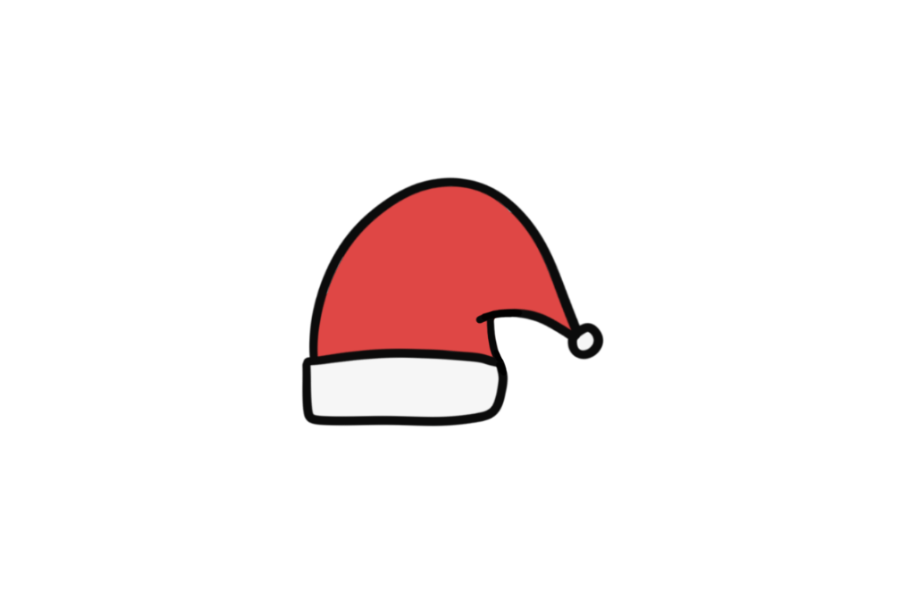

🎅 Easy Santa Hat Drawing Template (Interactive)
This easy Santa hat drawing template lets you trace the classic red and white hat directly on screen — one of the simplest and most recognizable Christmas drawings.
No paper, no printer — just open the page and start drawing with your finger, mouse, or stylus.
Perfect as a quick holiday activity or a warm-up before tackling a full Santa Claus drawing.
👉 Start drawing directly on the template above.
👉 Use your finger, mouse, or stylus to trace the lines. For the best drawing experience, we recommend using a tablet with a stylus.
1. Brush Tool - Trace or draw freely using the brush tool. You can adjust the line thickness to match the line weight of each drawing.
2. Fill Tool - Fill an area with color using one click. Make sure the shape is fully closed before filling.
3. Eraser & Undo / Redo - Fix small mistakes, undo actions, or redo steps easily.
4. Clear Canvas - Use the trash bin to clear the canvas and start a new drawing anytime.
5. Save Your Drawing - Don't forget to save your artwork when you're done.
Enjoyed this template? Try these other free drawing templates:
Using this template is simple:
A Santa hat is so simple that it's tempting to draw it on paper — but drawing it online lets you try different styles instantly. Practice making the tip droop more, the pompom bigger, or the trim fluffier, all without wasting a single sheet.
This Santa hat template features the iconic red hat with fluffy white trim at the base and a round white pompom at the tip. The simple triangular shape makes it one of the most beginner-friendly Christmas drawings to learn.
It's a great template for Christmas cards, decorations, or as a warm-up before drawing a full Santa Claus.
By practicing with this template, you'll build skills that apply to all kinds of drawings:
This template is great for:
The simple shape makes it ideal for very young children just starting to draw.
Can I draw directly on this page?
Yes! Just click or tap the canvas to start drawing immediately — no download or account required.
Are these templates good for holiday cards or decorations?
Absolutely. Save your drawing and use it to create personalized Christmas cards, ornaments, or holiday decorations.
Are these free to use?
Yes, all templates on this site are completely free with no account needed. Draw as many times as you like.
Can kids use these Christmas templates?
Yes — the simple holiday designs are perfect for kids and beginners of all ages. Great for school activities and family crafts.